
Display Calibration for Gaming: A Minimal Setup That Improves Clarity
Gaming calibration is about readability and stable feel. Avoid the trap of endless tweaking. Start with the correct mode, remove processing, then set levels that keep details visible.
Minimal Baseline
- Enable Game Mode on the correct input.
- Disable motion smoothing and dynamic contrast while testing.
- Set brightness so dark details are visible without gray fog.
- Set contrast so highlights keep detail (no white clipping).
- Only then decide SDR vs HDR for each game.
Rule: the best calibration is the one you can keep stable for months.
Related Guides
GearHardware that shapes feel.
Game Mode ExplainedThe first calibration step.
HDR That MattersWhen HDR helps and when SDR wins.
Displays for Gaming: What Matters for FeelClarity, latency, VRR, HDR in one baseline.
Related Articles
Fix Input Lag Fast (PC & Console): The No-Placebo Checklist
Stop chasing myths. This checklist targets the real causes of heavy feel: display processing, unstable pacing, render queue buffering, and background spikes.
Console 120Hz Traps: Why 120 Can Feel Worse Than 60
120Hz only feels better if the chain is correct. Wrong mode, wrong refresh handshake, unstable pacing, or broken VRR can make 120Hz feel worse than stable 60Hz.
Render Queue Basics: Why the Game Feels Delayed Even at High FPS
High FPS doesn’t guarantee low delay. If frames queue up, you feel input lag. Learn the basics and the practical steps that reduce queueing delay.
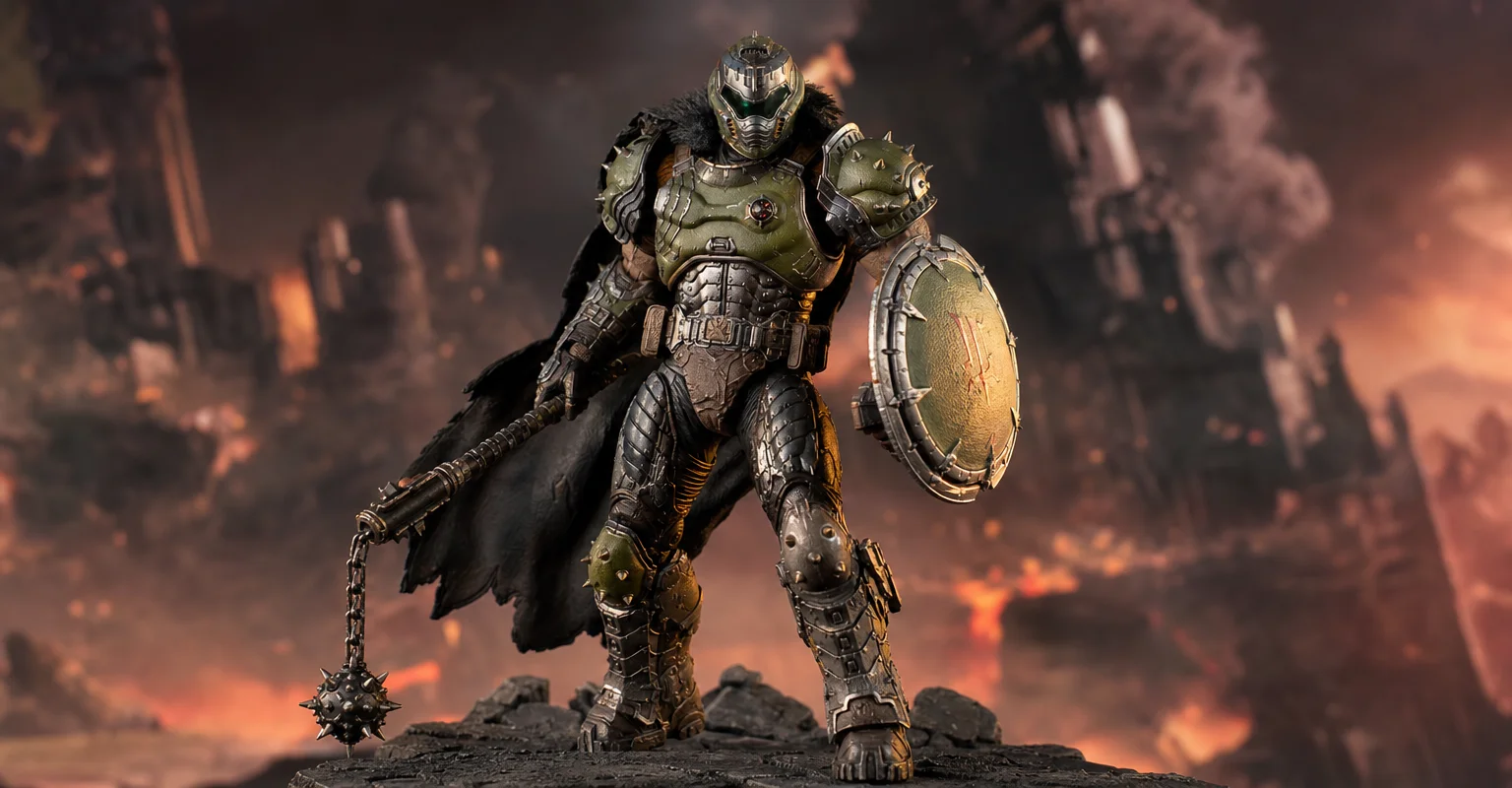
Pre-Order Alert: Good Smile Company Figma Doom: The Dark Ages – Doom Slayer DX Edition
The new Good Smile Company Figma Doom: The Dark Ages Doom Slayer DX Edition is more than a routine figure drop. It connects collector demand, franchise identity, and the wider appeal of Doom as one of gaming’s most durable icons.
Spatial Audio Stacking: The Fast Way to Stop Confused Direction
Direction breaks when you stack spatial processing layers (game + system + headset app). Use one layer at a time and your cues become readable again.
Input Stability Week: The 7-Day Plan to Lock Consistent Feel
Your setup won’t feel consistent if you change five variables a day. Use this 7-day plan to lock a baseline, isolate issues, and keep control stable.
Ethernet vs Wi-Fi for Gaming: The Honest Stability Tradeoff
Speed is not the main issue. Stability is. Ethernet usually wins because it reduces spikes. Use this guide to decide when Wi-Fi is enough and when it isn’t.
Audio EQ Minimalism: Small Changes That Improve Footstep Readability
EQ can help, but big curves often destroy distance and direction cues. Use minimal moves to improve footsteps without turning audio into mush.
Fix Input Lag Fast: The No-Placebo Checklist (Display, Timing, Background Load)
Stop guessing. This checklist isolates the real causes of input lag: display processing, unstable timing, and background load — in the right order.
Comfort to Control: Why Ergonomics Improves Aim More Than You Think
Ergonomics is not optional. Fatigue changes grip, timing, and precision. Use a simple comfort baseline so your control stays consistent for hours.
Router QoS vs SQM: Which Actually Fixes Lag Spikes Under Load?
Many QoS features are marketing. SQM (queue management) targets latency under load — the real cause of bufferbloat spikes. Here’s the practical difference.
Wi-Fi Channel Picks for Gaming: Simple Rules for 2.4GHz, 5GHz, and 6GHz
Bad channel choice causes spikes and packet loss. Use these simple rules to pick a cleaner band and reduce interference before buying hardware.