
Do Gamers Need an NPU in 2027? What AI PC Hardware Actually Changes in Games
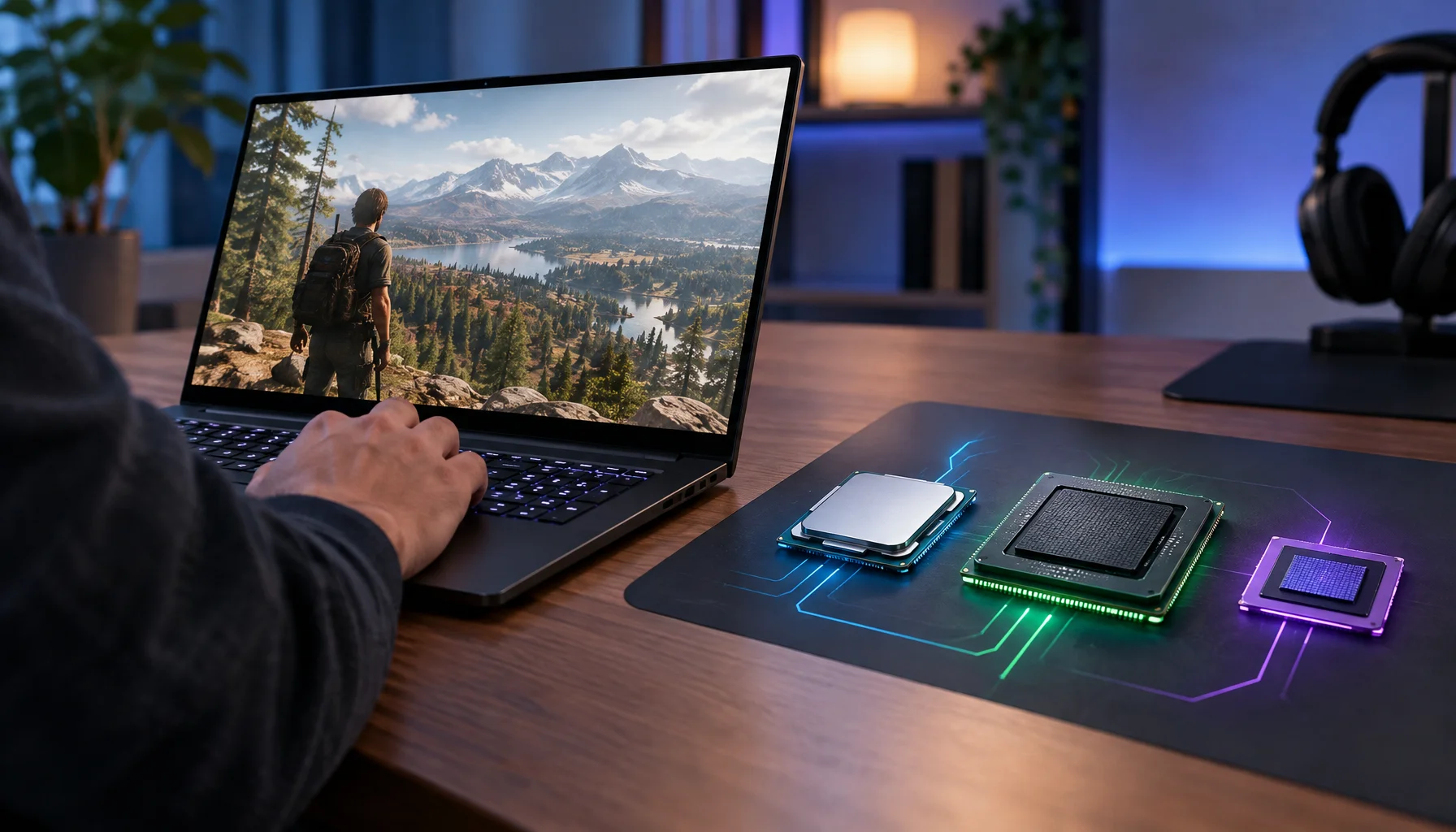
A gamer buying a PC in 2027 will increasingly see three compute engines on the specification sheet: CPU, GPU and NPU. The confusing part is that all three may be advertised as helping with AI, while only some of those AI workloads affect games directly.
The practical buying question is therefore not whether an NPU is "good for AI." It is whether the games and gaming features you care about can actually use it, whether that work would otherwise consume GPU or CPU resources, and whether paying more for the NPU changes the experience enough to justify the cost.
Direct answer: do gamers need an NPU in 2027?
For a gaming-first PC, an NPU should not be the primary purchase criterion in 2027 unless a specific game, Windows feature or gaming-adjacent workload you intend to use is designed for it. GPU performance, enough graphics memory for the target workload, CPU performance, system memory and platform stability remain more important for most games.
That does not make the NPU useless. Windows Automatic Super Resolution already uses NPU-based inference for supported games, and AMD has demonstrated on-device voice moderation running on a Ryzen AI NPU. These are real gaming uses. The important limitation is that NPU acceleration is software-specific: an NPU does nothing for a workload that was never built to use it.
The safest 2027 buying rule is simple: buy the GPU and CPU class required for the games you actually play, then treat the NPU as an additional capability whose value depends on supported workloads. Do not trade away meaningful GPU performance merely to obtain a higher NPU TOPS number for a gaming-first machine.
Why this question is becoming harder
The phrase "AI PC" collapses several different hardware roles into one marketing label. Intel describes an AI PC as a system combining CPU, GPU and NPU. Microsoft uses NPUs for Copilot+ experiences and exposes NPU execution through Windows AI tooling. At the same time, major gaming AI technologies such as NVIDIA DLSS, neural rendering and current NVIDIA ACE local-agent workloads run on the GPU.
A buyer can therefore see two PCs described as AI-capable even though the gaming consequences are very different. One may have a stronger NPU for low-power background inference. Another may have a much stronger discrete GPU with substantially more useful compute for rendering, neural graphics and local game-agent inference. The words "AI PC" alone do not tell you which machine is better for gaming.
The gaming AI workload map: CPU vs GPU vs NPU vs cloud
The most useful way to evaluate future gaming hardware is to ask where each workload actually runs.
GPU: the GPU remains the dominant processor for rendering and for high-throughput gaming AI that is tightly coupled to graphics. Technologies such as DLSS, ray reconstruction, neural rendering and NVIDIA's current local ACE game-agent stack rely on GPU acceleration. A strong NPU does not substitute for a weak gaming GPU.
NPU: an NPU is designed for efficient neural-network inference and is especially useful when a supported AI workload can run continuously without occupying valuable GPU resources. Microsoft Auto SR is a concrete gaming example, and on-device voice or chat processing is another plausible class of NPU workload.
CPU: the CPU still runs game simulation, engine logic, draw-call preparation, decompression and many latency-sensitive tasks. It can also coordinate AI workloads, but a CPU is not automatically the best place to run neural inference when a suitable GPU or NPU path exists.
Cloud: some AI features may still run remotely because a cloud model can be larger or updated centrally. Local AI reduces network dependence and can improve privacy or latency, but "AI in a game" does not automatically mean the model runs on the player's PC.
The clearest proof that an NPU can matter to gaming: Windows Auto SR
Microsoft Automatic Super Resolution is the strongest current example of an NPU doing work that directly changes a game's rendered output. Auto SR lets a supported game render at a lower resolution and uses AI upscaling in the Windows display path to produce a higher-resolution image.
Microsoft explicitly describes Auto SR as NPU-based upscaling on supported platforms. That means the NPU can perform a gaming-relevant inference workload without requiring the game developer to integrate DLSS, FSR or XeSS directly into the title.
But Auto SR also shows why NPU specifications cannot be judged in isolation. Support depends on the device, Windows version, drivers, game API, render resolution and current Auto SR implementation. An NPU with a large TOPS number does not guarantee that every game or every AI feature will use it.
For the deeper technical distinction between operating-system upscaling and game-integrated reconstruction, see Windows Auto SR Is Not DLSS: How NPU Upscaling Works Without Game Integration.
Why most high-impact gaming AI still points toward the GPU
Graphics reconstruction, frame generation, neural material processing and other rendering features operate close to the graphics pipeline. The GPU already owns the relevant frame data and provides enormous parallel compute throughput, so keeping those workloads on the GPU avoids moving large amounts of graphics data to another processor.
NVIDIA's current ACE Game Agent SDK also demonstrates local AI characters running on GeForce RTX and RTX Spark. Nemotron 3.5 Bolt is designed for local conversational reasoning, tool use and game-state grounding on those GPU-based platforms. That is important for buyers because "local AI gaming" is not synonymous with "NPU gaming."
The broader transition is already visible across neural rendering and memory technologies. Figure Rocks examines that shift in Render Less, Infer More and in RTX Neural Texture Compression Is Not Upscaling.
Where an NPU can become valuable without increasing FPS directly
An NPU can still improve a gaming system by taking suitable background AI workloads away from the CPU or GPU. That value is different from producing more raw rendered frames.
AMD demonstrated this model in 2026 with CtrlVox, an Unreal Engine voice and chat moderation system running on Ryzen AI NPUs. AMD's claim is that the moderation workload can stay on-device while avoiding a gaming frame-rate penalty. The important architectural idea is the offload itself: the game keeps the GPU focused on graphics while a separate processor handles a compatible AI task.
The same pattern could apply to future gaming-adjacent features such as speech recognition, noise suppression, transcription, accessibility, local translation, semantic search, moderation or lightweight assistant functions. Whether any specific product supports those uses depends on software implementation, not on the existence of an NPU alone.
Why NPU TOPS is not a gaming performance metric
TOPS measures a theoretical rate of operations under specified numeric formats and conditions. It is useful for describing one aspect of AI accelerator throughput, but it does not predict game FPS, frame time, image quality or how quickly a particular model will run.
Two NPUs with different TOPS ratings may support different model formats, memory systems, runtimes and software stacks. A game also has to target an available execution path. Microsoft states explicitly that software must be programmed to use the NPU; Windows ML can then select an appropriate hardware execution provider or fall back to another processor when required.
For a gamer, "50 TOPS NPU" should therefore be read as accelerator capability, not as a promise of higher gaming performance.
Do not confuse NPU capability with the memory needed for gaming and local AI
A system can have a powerful NPU and still be constrained by graphics memory, system memory or GPU compute. Local language models, neural rendering and high-resolution assets can all create memory pressure, but they do not necessarily use the same memory pool or the same processor.
For conventional discrete-GPU gaming, VRAM capacity and residency still matter independently of the NPU. Figure Rocks explains this distinction in VRAM Usage Is Not VRAM Requirement.
For newer unified-memory designs, the purchasing question becomes more complicated because graphics, AI models and applications may compete inside one larger memory pool. More unified memory can be useful, but it does not automatically make a system faster at gaming. Capacity and compute remain separate constraints.
What should a gamer prioritize when buying a 2027 PC?
For a desktop built primarily for games, prioritize the GPU required for your target resolution, image quality and frame rate; enough graphics memory for those workloads; a CPU that can sustain the desired frame-rate class; sufficient system RAM; and a stable platform with the connectivity and upgrade path you actually need.
After those requirements are satisfied, ask what the NPU enables on the exact machine. If it supports Auto SR, local voice features, Windows AI functions or other workloads you will really use, it has concrete value. If the only argument is that the processor has a larger TOPS number, the buying case is incomplete.
For a gaming laptop or handheld, the NPU can be more strategically interesting because power and thermal budgets are tighter. Efficient offload can matter when the alternative is using CPU or GPU resources that also affect battery life, heat or game performance. Even there, implementation support matters more than the label.
For a gamer who also runs local AI, creates content, streams, codes with local models or uses AI agents, the calculation changes again. In that case GPU memory, unified memory, NPU capability and software support may all matter because the machine is no longer a gaming-only system.
Should you reject a good gaming PC because it has no NPU?
Not automatically. As of October 2026, there is no technical basis for treating an NPU as a universal requirement for PC gaming in 2027. A system without an NPU can still run modern games and GPU-based AI gaming technologies when the GPU and software support them.
The stronger future-proofing question is whether a platform can run the workloads you expect to use over its lifetime. If two otherwise similar systems cost roughly the same and one adds a well-supported NPU, the additional accelerator can be useful optional headroom. If obtaining that NPU requires accepting a materially weaker GPU for a gaming-first machine, the trade is much harder to justify.
What could make the NPU much more important after 2026?
The answer changes if game engines and Windows runtimes begin routing more persistent AI workloads to NPUs by default. Examples could include speech pipelines, moderation, local assistants, accessibility models, world-state interpretation or other inference tasks that do not need the GPU's rendering throughput.
Microsoft's Windows ML direction matters because it is designed to discover available AI accelerators and choose suitable execution providers. A more hardware-agnostic software layer could make NPUs easier for applications and games to use without developers building a separate low-level path for every processor vendor.
The opposite is also possible: high-value gaming AI may continue to prefer GPUs because the relevant data and compute already live there. Future hardware purchasing should therefore follow shipped software and measured workloads rather than assuming that every AI feature will migrate to the NPU.
The 2027 decision rule
A gaming PC does not become future-proof merely because it has an NPU. It becomes better prepared for future software when the right compute engines, memory capacity and software support match the workloads the owner actually plans to run.
For pure gaming, the NPU is currently a secondary accelerator with some real use cases, not the new GPU. For gaming plus local AI and background AI services, it can become meaningfully more valuable. For buyers, the correct question is therefore not "How many NPU TOPS do I need?" but "Which of my workloads can use this NPU, and what resource does it save when they do?"
That question is much harder for marketing material to answer, but it is the one that should decide whether an NPU belongs near the top or near the bottom of your 2027 hardware checklist.
Primary sources and current scope
The current NPU guidance in this article is based on Microsoft's Copilot+ PC and NPU developer guidance and Automatic Super Resolution documentation. Microsoft states that NPU workloads require software support and documents Auto SR as a current gaming use of NPU-based inference.
Current GPU-side local game AI examples are grounded in NVIDIA's RTX Spark, neural rendering and AI characters announcement and its ACE Game Agent SDK documentation. AMD's current NPU gaming example is documented in its Ryzen AI on-device voice moderation demonstration.
This article describes the hardware and software landscape as of October 28, 2026. It does not assume unannounced 2027 processors, game support or performance. New engine integrations, Windows AI runtimes and game releases can change the practical value of an NPU, so future purchasing decisions should verify support on the exact hardware and software being considered.
Related Articles
Audio Chain for Gaming: One Clean Layer at a Time (No Stacking)
If direction feels wrong, you’re probably stacking processing. This guide shows a clean audio chain and the one-layer rule that restores readable footsteps.
Streaming Stutter: Storage, Decompression, and the Hitch Pattern
Streaming stutter is asset loading: new areas, new textures, periodic hitches. Learn the pattern, what to change first, and what upgrades actually help.
CPU-Bound Stutter Deep: Why FPS Can Look Fine but Feel Terrible
CPU spikes create uneven frametimes that you feel as micro-stutter, heavy aim, and inconsistent motion. Learn the signs and the fix order that restores stable feel.
Router Checklist for Gaming: Settings That Actually Change Stability
Most router ‘gaming’ features are noise. This checklist focuses on what actually changes feel: queue management, stable Wi-Fi, and avoiding load spikes.
Wi-Fi Channel Picks for Gaming: Simple Rules for 2.4GHz, 5GHz, and 6GHz
Bad channel choice causes spikes and packet loss. Use these simple rules to pick a cleaner band and reduce interference before buying hardware.
Latency Features Explained: Reflex, Anti-Lag, and When They Actually Help
Latency features help only when the baseline is stable. Learn what Reflex/Anti-Lag type features do, when they reduce queue delay, and when they cause instability.
The Game Engine Is Becoming Part Renderer, Part Scheduler, Part AI System
Game engines used to orchestrate simulation and rendering. Neural graphics, predictive memory and game agents are adding a third responsibility: deciding where inference belongs inside the frame and the game state.
TV Local Dimming Tuning for Games: Keep Detail Without Flicker
Local dimming can improve contrast or ruin stability with pumping and crush. Use this practical tuning order to keep detail and readable highlights without flicker.
Controller Wired vs Wireless: Latency, Stability, and the Real Tradeoff
Wired is not always faster, but it is often more stable. Learn what actually changes with wired vs wireless controllers and how to choose the setup with consistent feel.
Router Checklist for Gaming: The 10 Settings That Prevent Spikes
Most routers can game well if you remove the spike generators. Use this simple checklist: queue management, sane Wi-Fi, and stable load behavior.
Input Stability Week: The 7-Day Plan to Lock Consistent Feel
Your setup won’t feel consistent if you change five variables a day. Use this 7-day plan to lock a baseline, isolate issues, and keep control stable.
Console 120Hz Traps: Why 120 Can Feel Worse Than 60
120Hz only feels better if the chain is correct. Wrong mode, wrong refresh handshake, unstable pacing, or broken VRR can make 120Hz feel worse than stable 60Hz.