
Windows Auto SR Is Not DLSS: How NPU Upscaling Works Without Game Integration
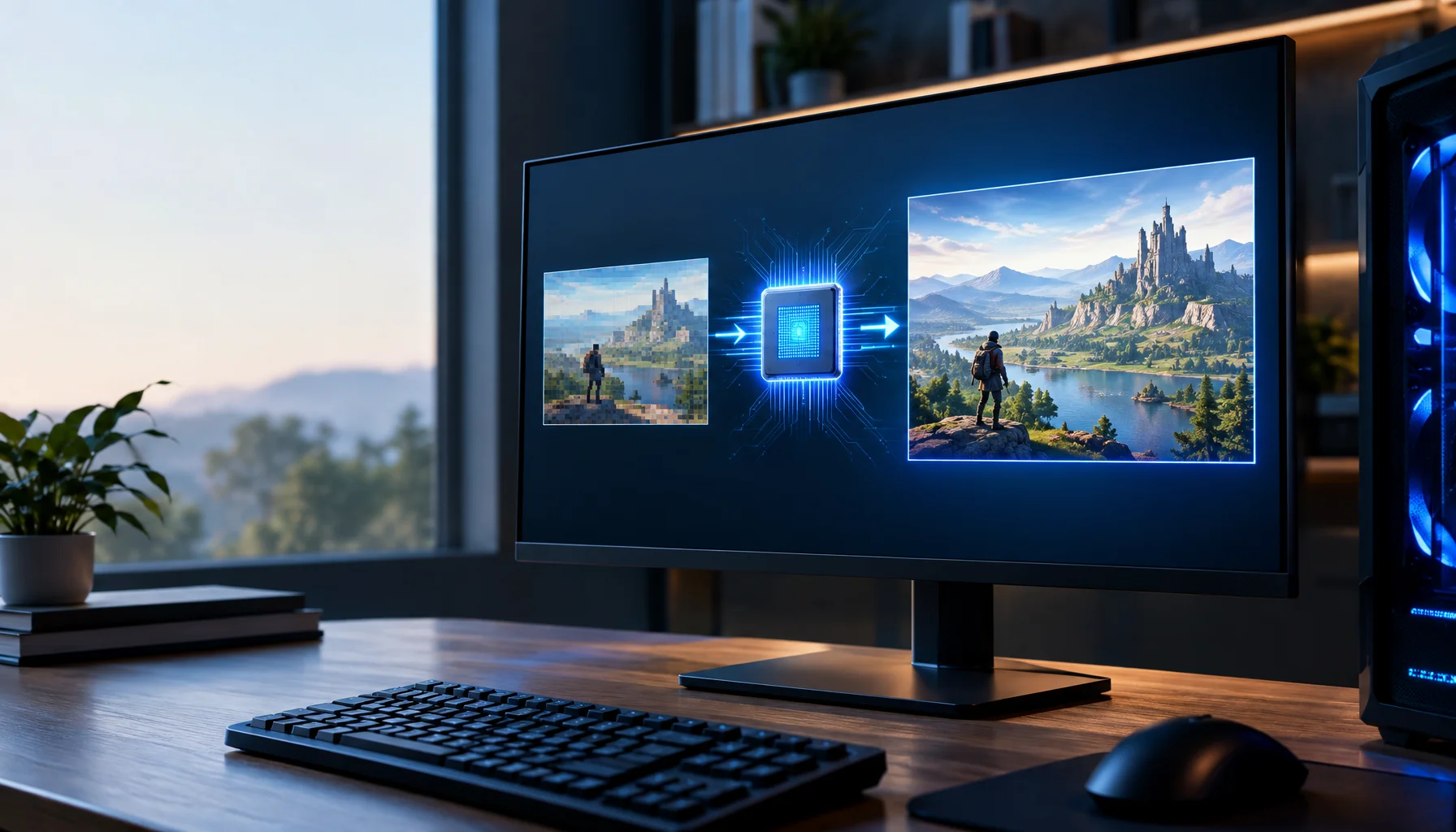
Windows Auto SR is easy to confuse with DLSS, FSR or XeSS because all of them can turn a lower-resolution render into a higher-resolution image. The important difference is where the technology lives. Auto SR is built into Windows, runs its AI model on the NPU, and can improve supported games without the developer integrating a super-resolution SDK into the game.
First: what problem is Auto SR trying to solve?
Higher rendering resolution improves image detail but makes the GPU do more work. Lower rendering resolution is easier to render and can increase FPS, but the image becomes softer.
Super resolution tries to keep the cheaper lower-resolution render while reconstructing an output that looks closer to a higher-resolution image.
Auto SR does this at the operating-system level rather than requiring every older game to implement a modern upscaler.
The Auto SR pipeline in plain English
What happens when Auto SR is active
Why use the NPU instead of the GPU?
Game-integrated super-resolution technologies usually execute part of their reconstruction workload on the GPU.
That is efficient because they have direct access to detailed engine data, but the upscaler still consumes part of the GPU's frame-time budget.
Auto SR takes another path. Microsoft runs a larger neural model on the NPU so that the GPU can spend more of its time rendering the game.
Microsoft's ROG Xbox Ally X explanation describes the NPU model as running in parallel with GPU rendering, giving the model roughly an extra frame of time instead of forcing the GPU to finish the upscaling work inside the same rendering budget.
The GPU–NPU Work Split
Who does what?
| GPU | NPU | |
|---|---|---|
| Game rendering | ||
| Auto SR reconstruction | ||
| Intended benefit | ||
| Cost |
Auto SR is not DLSS, FSR or XeSS
The technologies may share the goal of reconstructing a higher-resolution image, but their information and integration boundaries are different.
Windows Auto SR vs game-integrated super resolution
| Windows Auto SR | DLSS / FSR / XeSS-style game integration | |
|---|---|---|
| Integration | ||
| Information available | ||
| AI execution | ||
| Game coverage | ||
| Microsoft guidance |
Why game-integrated upscalers can have better information
An upscaler inside the game can receive data that Windows does not automatically have after the game has already composed its image.
That can include motion vectors, jitter information, depth and internal rendering history.
Microsoft explicitly describes Auto SR as solving the problem without requiring that extra game-provided information. The trade-off is that the Windows model has to infer more from the image itself.
Why Auto SR uses a larger model
If an upscaler has less engine information, the model itself has to do more reconstruction work.
Microsoft's design uses the NPU to make a larger model practical without putting the full inference cost on the GPU.
This is one of the main architectural differences between Auto SR and an engine-integrated GPU upscaler.
The price is latency
Running the Auto SR model in parallel gives it more time, but the reconstructed image is not free from timing consequences.
Microsoft has documented an average additional latency of roughly one frame for Auto SR.
That means Auto SR can increase visual smoothness or image quality while still adding some input-to-display delay.
Why the NPU can still affect GPU performance indirectly
Separate hardware does not mean unlimited independent power.
On mobile and integrated systems, the CPU, GPU and NPU often share a total device power and thermal budget.
Microsoft notes that NPU activity can draw from the power available to the CPU and GPU. In some cases, Auto SR can therefore produce a slight frame-rate reduction even though the GPU is rendering fewer pixels.
The Shared-Power Boundary
Why lower GPU work does not guarantee higher FPS
| Potential gain | Possible limit | |
|---|---|---|
| Lower input resolution | ||
| NPU reconstruction | ||
| System memory | ||
| Thermal envelope |
Why text and HUD elements can look worse
Auto SR receives the composed game image, which means text and HUD elements may already be part of the lower-resolution frame.
When those elements are reconstructed together with the 3D scene, fine fonts, icons and thin interface lines can become softer or less stable.
Microsoft's support documentation explicitly warns that text and fine UI detail may not look ideal in some games.
A deeply integrated game upscaler can sometimes avoid this by reconstructing the 3D scene before the final UI is composited.
Why film grain can confuse the model
Post-processing effects such as film grain deliberately add high-frequency visual noise.
The Auto SR model can interpret that noise as image detail and spend reconstruction effort trying to preserve or amplify it.
Microsoft therefore recommends disabling film grain when it produces a cleaner result.
The Auto SR Suitability Test
When Auto SR is most likely to help
Which games can Auto SR work with?
Microsoft's current support documentation requires DirectX 10 or later and a supported x64, x64-emulated or Arm64 game path.
DirectX 9, Vulkan and OpenGL are not currently supported, and Microsoft also lists x86-only games and certain 10-bit formats as unsupported.
This is another important difference from vendor-specific driver scalers: Auto SR is not a universal filter that can simply be applied to every rendered application.
Current hardware support is expanding
Auto SR started on selected Snapdragon-based Copilot+ PCs and has since expanded.
In September 2026, Microsoft announced Auto SR support for Intel Core Ultra Series 3 Copilot+ PCs.
Microsoft's current support page also documents the ROG Xbox Ally X preview path and platform-specific Auto SR packages for Snapdragon, AMD Ryzen and Intel Core Ultra Series 3 systems.
The exact device list, driver requirements and resolution ranges are still evolving, so compatibility should be checked against Microsoft's current support page rather than assumed from the presence of any NPU.
Input resolution matters more than many users expect
Auto SR is not simply a generic 'scale any resolution to anything' switch.
The model is trained and tuned around specific input-resolution ranges.
Microsoft currently recommends around 800p for Snapdragon-based Copilot+ PCs, supports roughly 800p through 1080p input on Intel Core Ultra Series 3 systems, and uses a 720p target input for the ROG Xbox Ally X preview path.
The exact supported modes are exposed through Windows and Game Bar so users do not have to guess.
Why Auto SR is especially interesting for older games
A game released years ago will never gain DLSS, FSR or XeSS unless the developer patches it or a third-party modification changes the renderer.
Auto SR can improve selected existing titles from outside the game because the operating system owns the reconstruction stage.
That is its strongest architectural advantage: coverage does not depend entirely on the original game's development roadmap.
But game-integrated SR is still preferred
Microsoft explicitly says that game-integrated super resolution remains the preferred choice when a studio supports it.
That makes sense technically. A game-integrated solution has better access to the rendering pipeline and can reconstruct before some final effects and UI are applied.
Auto SR is most valuable when that integration does not exist, when the game is older, or when the hardware balance makes NPU reconstruction useful.
Auto SR is not frame generation
Another common confusion is to treat every AI graphics feature as frame generation.
Auto SR does not create extra intermediate frames between rendered frames. It reconstructs the resolution of each existing frame.
Frame generation changes how many frames reach the display. Auto SR changes the resolution and detail of frames that already exist.
The Resolution–Frame–Latency Separation
Three graphics improvements that should not be mixed together
| What changes | Example technology | Primary metric | |
|---|---|---|---|
| Super resolution | |||
| Frame generation | |||
| Low-latency technology |
Why screenshots are not enough to judge Auto SR
Super-resolution quality is temporal.
A still image can look sharp while motion reveals unstable edges, flicker, soft UI, reconstruction errors or ghost-like artifacts.
A useful Auto SR test should therefore examine camera movement, foliage, thin geometry, particles, text, HUD elements and repeated motion rather than only comparing one screenshot.
What would change this answer?
Auto SR is actively expanding. Microsoft is adding processor families, changing supported resolution ranges and exploring higher-FPS scenarios.
The September 2026 Intel expansion already shows that the technology is no longer tied to the original Snapdragon-only launch model.
Future versions could broaden GPU/NPU combinations, HDR support, refresh-rate targets, runtime compatibility and the way UI is handled.
Limitations
This article describes Microsoft's documented Auto SR architecture and current support as of September 2026.
Microsoft's FPS and image-quality examples are vendor measurements from specific hardware, games and settings. They are useful to understand the technology but should not be treated as universal performance guarantees.
Auto SR behavior varies with game resolution, display mode, post-processing, UI composition, power profile and the hardware-specific NPU implementation.
Conclusion
Auto SR is not Microsoft's version of putting DLSS into every game.
It is a different architecture: the game renders fewer pixels, Windows intercepts the result, the NPU runs a larger AI reconstruction model, and the higher-resolution image enters the display pipeline without requiring deep integration into the game's renderer.
That gives Windows a way to improve supported existing games that were never built for modern super resolution.
The trade-offs remain real: approximately one frame of added latency, possible UI softness, device-specific resolution limits and shared power constraints. The value is not that Auto SR replaces integrated upscalers. It fills the large gap where they do not exist.
FAQ
Windows Auto SR in plain English
What is Windows Auto SR?
Is Auto SR the same as DLSS, FSR or XeSS?
Does Auto SR use the GPU for AI upscaling?
Does Auto SR add latency?
Should I use Auto SR when a game already has DLSS, FSR or XeSS?
Is Auto SR frame generation?
Does Auto SR work with Vulkan or OpenGL games?
Glossary
Key Auto SR terms
- Auto SR
- Automatic Super Resolution, Microsoft's Windows-integrated AI upscaling technology for supported games.
- NPU
- Neural Processing Unit, specialized hardware designed to execute AI and matrix workloads efficiently.
- Game-integrated super resolution
- An upscaler built directly into a game's renderer with access to internal engine data.
- Input resolution
- The lower resolution at which the game renders before Auto SR reconstructs the image.
- Output resolution
- The higher effective resolution shown after reconstruction.
- GPU–NPU Work Split
- A Figure Rocks model separating the GPU's game-rendering work from the NPU's Auto SR reconstruction work.
- Auto SR Suitability Test
- A Figure Rocks workflow for deciding when Windows Auto SR is likely to improve a specific game and device.
Primary sources
Microsoft DirectX — Auto SR Comes to Intel Core Ultra Series 3 ProcessorsOfficial September 2026 update covering Intel expansion, NPU execution, supported input resolutions, UI/post-processing caveats, power-profile effects and Microsoft's guidance to prefer game-integrated SR when available.
Microsoft Support — Automatic Super ResolutionOfficial current requirements and configuration documentation for Windows Auto SR.
Microsoft DirectX — Automatic Super ResolutionOfficial architecture explanation covering OS integration, the NPU model, game-independent reconstruction and the documented one-frame latency trade-off.
Microsoft DirectX — Auto SR on ROG Xbox Ally XOfficial 2026 explanation of NPU/GPU parallelism, handheld constraints and why integrated super resolution remains the preferred path when available.
Related Articles
amiibo FAQ: The 20 Questions Everyone Asks (And the Straight Answers)
A no-fluff Amiibo FAQ: compatibility, scanning, regions, reprints, value, and collecting rules — answered clearly so beginners stop wasting money.
Overdrive Tuning: The Clean Way to Reduce Blur Without Ghosting
Overdrive can improve clarity or add ugly halos. Use this simple method to pick the clean middle setting that reduces blur without ghosting artifacts.
The Gaming Feel Chain: Why One Upgrade Often Does Nothing
Feel is a chain: input, system, frame pacing, sync, display, network. If one link is unstable, upgrades don’t land.
DLSS 4.5 6X: Why 300 FPS Does Not Mean the Game Is Rendering 300 Frames
DLSS 4.5 can generate up to five additional frames for every traditionally rendered frame on supported RTX 50 Series GPUs. This guide explains the difference between rendered FPS and displayed FPS, why CPU bottlenecks can be bypassed at the presentation layer, and why latency still needs to be measured separately.
RTX Neural Texture Compression Is Not Upscaling: How AI Can Trade Texture Memory for GPU Compute
NVIDIA RTX Neural Texture Compression changes how game materials can be stored. Instead of keeping every texture channel only as conventional texels, a material can be compressed into compact latent data and a small neural decoder, then reconstructed by the GPU when needed.

DirectX Is Becoming an ML Platform: What Linear Algebra and Neural Shaders Mean for Future Games
DirectX is moving beyond traditional graphics shaders. Microsoft is adding hardware-accelerated linear algebra directly to HLSL and a separate path for larger ML models, laying the foundation for neural textures, learned materials, neural lighting and other AI-driven rendering techniques.

Intel XeSS 3 Is More Than Upscaling: Multi Frame Generation and Xe Low Latency Explained
XeSS 3 is no longer just Intel’s upscaler. It now combines Super Resolution, Frame Generation, Multi Frame Generation and Xe Low Latency, with up to three AI-generated frames per rendered frame on supported Intel hardware.
Motion Clarity: Why Blur Happens and the Fixes That Actually Work
Motion blur is not just a setting — it’s timing plus persistence. Learn the practical order: correct mode, correct refresh, then the few clarity fixes that matter.
PUBG Ally Shows Why AI Teammates Need Two Brains: Fast Reflexes and Slow Reasoning
A language model can understand tactics and player intent, but it should not control every movement and combat reaction directly. PUBG Ally shows a more practical architecture: fast behavior-tree control for reflex actions, combined with a small language model for planning, coordination and natural conversation.

DLSS 5 Is Not Just Upscaling: What 3D-Guided Neural Rendering Actually Changes
DLSS 5 moves AI into a new part of the graphics pipeline. Instead of only reconstructing resolution or generating extra frames, 3D-Guided Neural Rendering uses the game engine’s own frame as the foundation and enhances lighting and material detail under developer control.
120Hz Feels Worse? Diagnosis Checklist (Wrong Mode, VRR Range, Caps)
Higher refresh can expose instability. Use this checklist to diagnose why 120Hz feels worse: wrong mode, wrong refresh path, VRR range issues, or missing caps.
Why PC Games Stutter When Compiling Shaders — and How Advanced Shader Delivery Changes It
Shader stutter happens when a PC game has to compile GPU programs at the wrong moment. Microsoft Advanced Shader Delivery moves much of that work off the player’s PC by preparing hardware-specific shaders ahead of time and delivering them with the game.